UGREEN – adaptateur WiFi USB 3.0 AC1300Mbps 5.8 go et 2.4 go, carte réseau Ethernet, pour PC de bureau, ordinateur portable, Windows, antenne WiFi
71,37 €
✓ En stock — 1485 disponibles
Voir mon panier 0
🚚 Livraison gratuite —
livré en 5 jours environ
Expédié avec suivi de colis inclus.
En cas de retard ou de problème, nous vous remboursons intégralement.
🇫🇷 Vendeur français
💯 Remboursement garanti
🔒 Paiement sécurisé
Mis à jour : 27/02/2026
Description du produit
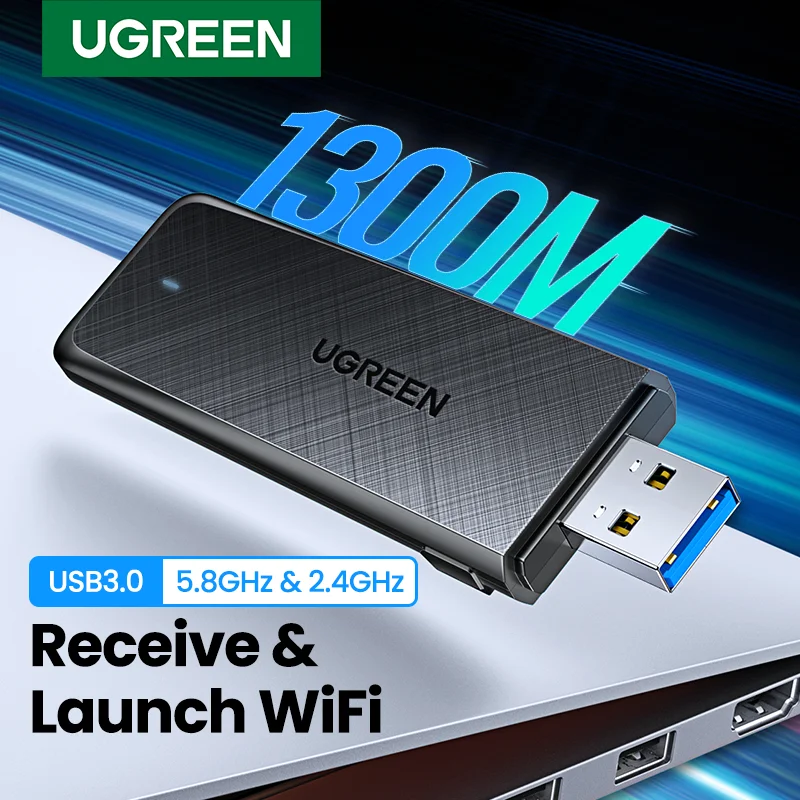
UGREEN NEW USB3.0 AC1300Mbps Dual-Band 5Ghz & 2.4GHz WiFi Adapter is coming now.
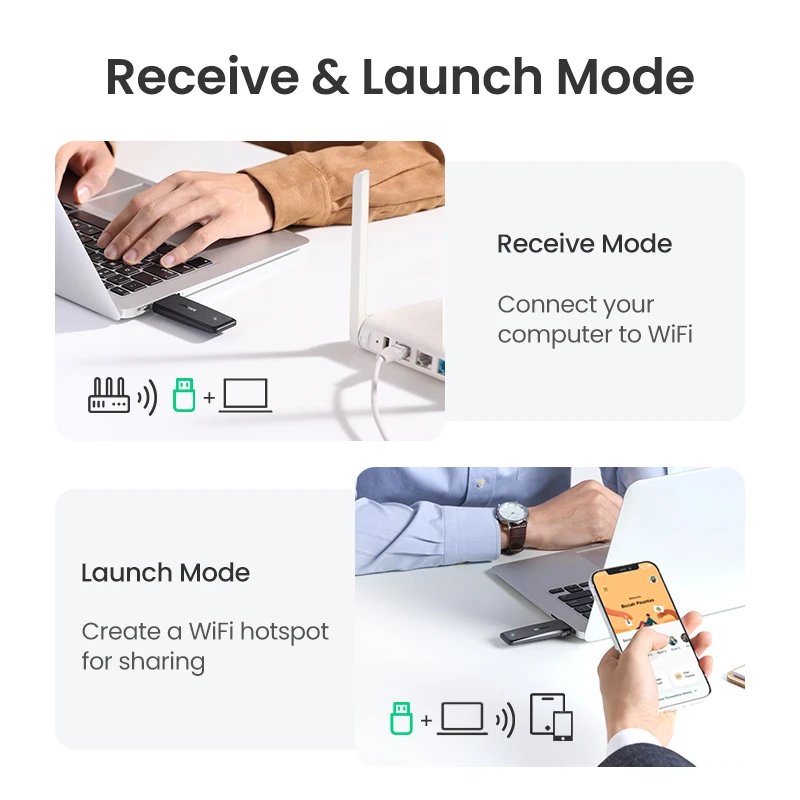
>>>Two working modes:
1. Receive WiFI (Station mode): Connect your computer to WiFi;
2. Launch WiFi (Soft AP): Create a WiFi hotspot for sharing.
>>>Compatible Systems:
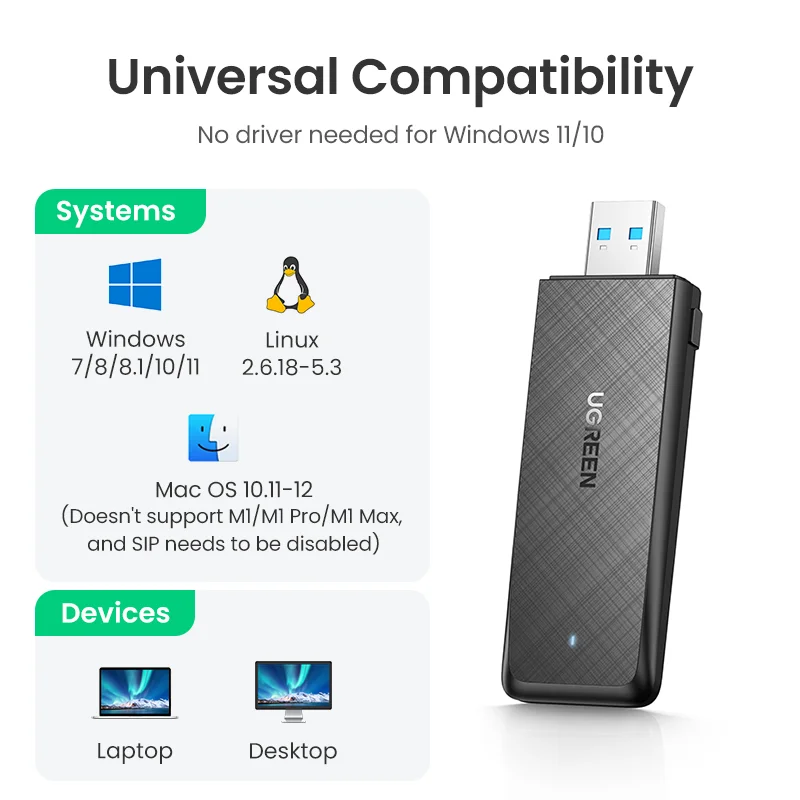
1. Windows 7/8/8.1/10/11 (No driver needed for Windows 11/10);
2. Linux 2.6.18~5.3;
3. Mac OS 10.11~12(Doesn't support M1/M1 Pro/M1 Max, and SIP needs to be disabled).
>>>Specifications:
Frequency Range:
5GHz+2.4GHz
Transmission Rate:
AC1300 (5GHz: 867Mbps; 2.4GHz: 400Mbps)
Standards:
IEEE802.11b, IEEE 802.11g, IEEE 802.11n, IEEE 802.11a, IEEE 802.11ac
Encryption:
WPA-PSK/WPA2-PSK/64bit WEP/128bit WEP
Working Mode:
Receive & Launch WiFi
Driver:
Windows 11/10 can be used without the driver, other systems can easily install the driver.
AC1300 USB3.0 WiFi Adapter
USB 3.0 Fast Transfer
AC1300 Super Speed
5GHz & 2.4 GHz Dual Band
Receive Mode
Launch Mode
RTL8812AU Powerful Chipset
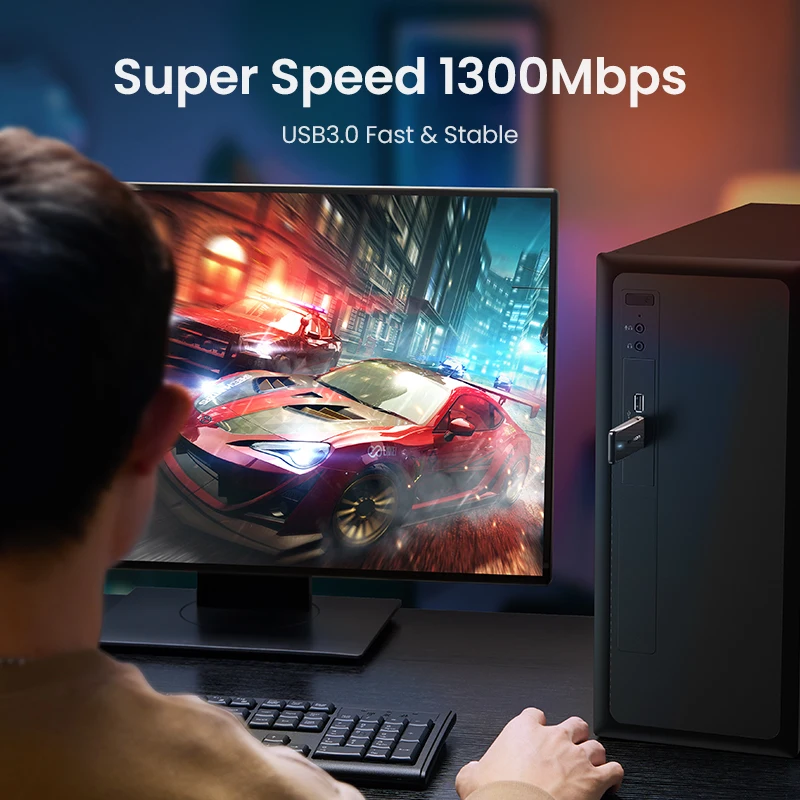
SuperSpeed AC1300
USB 3.0 Fast & Stable.
Stable signal brings smooth gaming and entertainment experience.
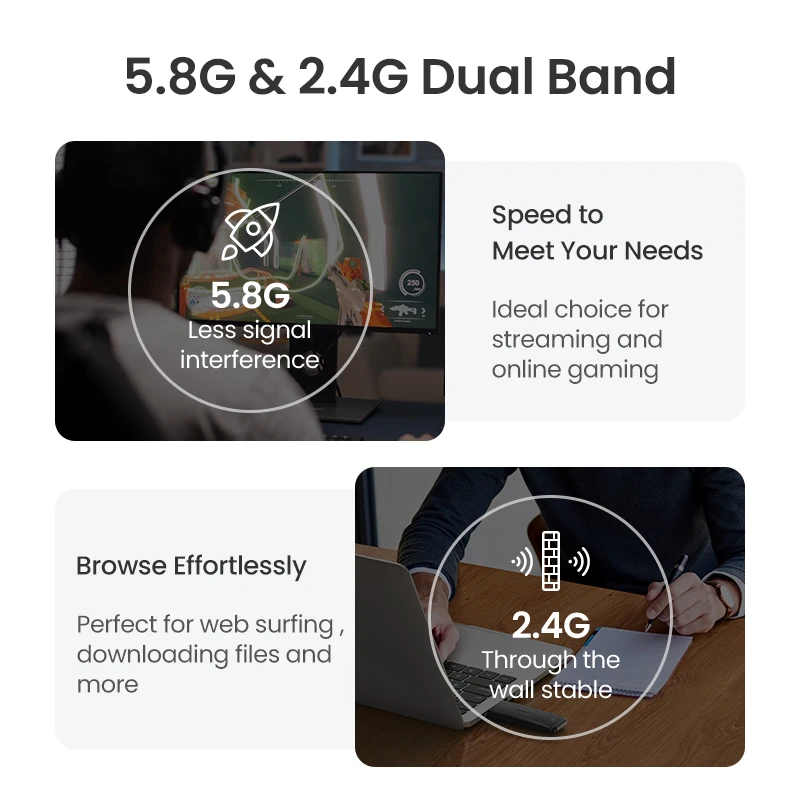
5GHz & 2.4GHz Dual-band
Use new generation of 802.11AC protocol, 2x2 independent two-way transmission and reception of signals.
Receive & Launch Mode
1. Receive Mode
Connect your computer to WiFi
2. Launch Mode
Create a WiFi hotspot for sharing
USB3.0 Transmission
Transfer rate up to 5Gbps - 10x faster than USB 2.0.
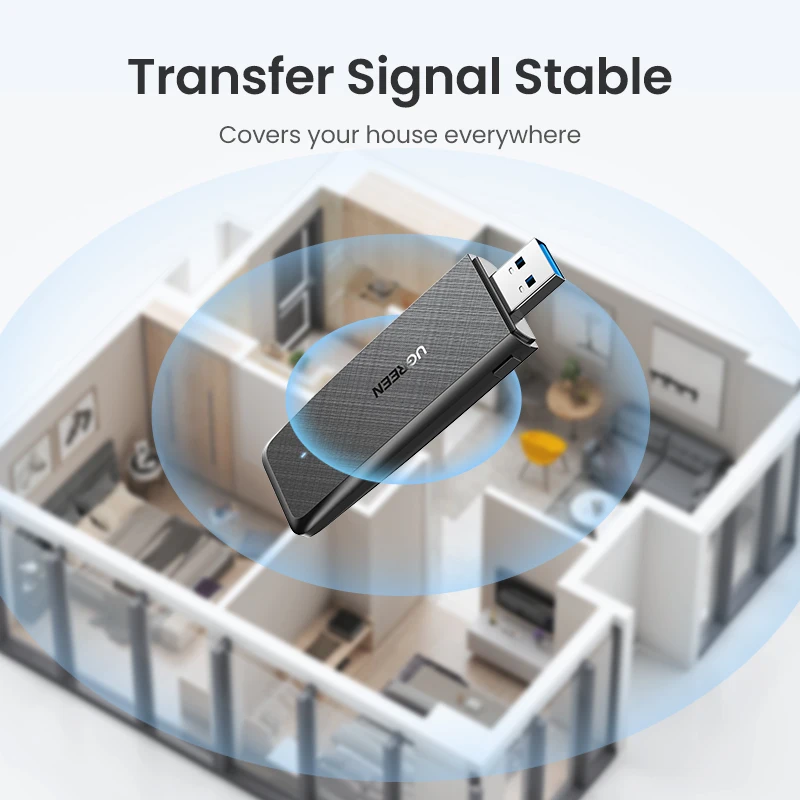
Transfer Signal Stable
Built-in 3dBi dual-gain antenna, support MIMO technology.
Faster data download, smooth online viewing.
Universal Compatibility
No driver is needed for Windows 11/10
Connect To WiFi By WPS
Support WPS standard protocol
Awesome Chipset
Use REALTEK strong chip, improving data processing and wireless performance.
Excellent compatibility and stability.
Multiple Encryption, Secure Network
Support WPA-PSK/WPA2-PSK, 64/128 WEP data encryption mode
Why Do You Need
UGREEN WiFi Adapter?
Special Design
Various thoughtful designs
Product Specifications
Product Name:
UGREEN AC1300 Dual-band WiFi Adapter
Model:
CM492
Chip:
RTL8812AU
USB Type:
USB3.0
WiFi Antenna
2T2R
Operating Frequencies
5GHz & 2.4GHz
Wireless Standards
IEEE 802.11 b/g/n/a, IEEE 802.11 ac
Transmission Rates
5.8GHz: 867Mbps; 2.4GHz: 400Mbps
Encryption Mode
WPA-PSK, WPA2-PSK, 64/128 WEP
Working Mode
Receive / Launch WiFi
Compatible Systems
Windows / mac OS / Linux
WPS Button:
YES
Package:
UGREEN retail box
>>>Important Note:>>>Important Note:>>>Important Note:>>>Important Note:
1. If your devices without an optical drive, or optical drive was damaged,
please download the driver from the UGREEN Offical website:
https://www.ugreen.com/pages/download
2. The product transmission speed will be affected by the strength of the wireless signal. In addition, the USB 1.1/USB2.0 interface will also restrict the transmission speed.
>>>Troubleshooting Guide:
1. What can I do if no WiFi signal can be detected?
(1) Check if the WiFi function of the nearby router work properly when connected to the cell phone directly.
(2) Reduce distance between the USB WiFi adapter and the router for a try, and avoid the obstacles such as thick walls, metals or large-area mirrors.
(3) Check whether the wireless router and wireless AP have settings to hide the wireless network name.
2. What can I do if the WiFi signal can be detected, but cannot be connected successfully?
(1) Check the signal strength of the router. Try to connect the WiFi in a place that has a stronger signal.
(2) Ensure you have entered the correct password.
(3) Check if the DHCP function of the router has been enabled. If not, the WiFi adapter won’t be able to obtain the IP address and connect the internet.
(4) Check if you have set the binding of your Mac address and the router. If yes, you need to set the binding of Mac address and the WiFi adapter.
(5) Ensure encryption type of your router is one of the WPA-PSK, WPA2-PSK, and 64/128-bit WEP.
3. How can we troubleshoot if the internet speed is slower than we expected?
(1) Try to use the WiFi adapter in a place that has a stronger signal.
(2) Manually adjust different channels for the router, and find out the optimal channel so that the interference is minimal.
(3) Set the router to 2.4Ghz from 5Ghz for a try.
(4) Check if the internet speed is normal if you connect the phone to the router’s WiFi in the same circumstance.
Le nouvel adaptateur WiFi USB3.0 AC1300Mbps bi-bande 5Ghz et 2.4GHz UGREEN arrive maintenant.
>>> Deux modes de fonctionnement:
1. Recevoir le WiFi (mode Station): connectez votre ordinateur au WiFi;
2. Lancer le WiFi (Soft AP): Créez un hotspot WiFi pour le partage.
>>> Systèmes compatibles:
1. Windows 7/8/8.1/10/11 (aucun pilote nécessaire pour Windows 11/10);
2. Linux 2.6.18 ~ 5.3;
3. Mac OS 10.11 ~ 12 (ne prend pas en charge M1/M1 Pro/M1 Max, et SIP doit être désactivé).
>>> Spécifications:
Gamme de fréquence:
5GHz + 2.4GHz
Taux de transmission:
AC1300 (5GHz: 867Mbps; 2.4GHz: 400Mbps)
Normes:
IEEE802.11b, IEEE 802.11g, IEEE 802.11n, IEEE 802.11a, IEEE 802.11ac
Cryptage:
WPA-PSK/WPA2-PSK/64bit WEP/128bit WEP
Mode de travail:
Recevoir et lancer le WiFi
Conducteur:
Windows 11/10 peut être utilisé sans pilote, d'autres systèmes peuvent facilement installer le pilote.
Adaptateur WiFi AC1300 USB3.0
Transfert rapide USB 3.0
Super vitesse AC1300
Double bande 5GHz et 2.4 GHz
Mode réception
Mode de lancement
Jeu de puces puissant RTL8812AU
SuperSpeed AC1300
USB 3.0 rapide et stable.
Le signal stable apporte une expérience de jeu et de divertissement fluide.
Double bande 5GHz et 2.4GHz
Utilisez la nouvelle génération de protocole 802.11AC, la transmission bidirectionnelle indépendante 2x2 et la réception des signaux.
Mode de réception et de lancement
1. Mode de réception
Connectez votre ordinateur au WiFi
2. Mode de lancement
Créer un hotspot WiFi pour le partage
Transmission USB3.0
Taux de transfert jusqu'à 5Gbps - 10x plus rapide que l'USB 2.0.
Signal de transfert stable
Antenne 3dBi à double gain intégrée, supporte la technologie MIMO.
Téléchargement de données plus rapide, visualisation en ligne fluide.
Compatibilité universelle
Aucun pilote n'est nécessaire pour Windows 11/10
Se connecter au WiFi par WPS
Prend en charge le protocole standard WPS
Jeu de puces génial
Utilisez la puce forte REALTEK, améliorant le traitement des données et les performances sans fil.
Excellente compatibilité et stabilité.
Cryptage multiple, réseau sécurisé
Support WPA-PSK/WPA2-PSK, 64/128 mode de cryptage des données WEP
Pourquoi avez-vous besoin
Adaptateur WiFi UGREEN?
Conception spéciale
Divers designs réfléchis
Spécifications du produit
Nom du produit:
Adaptateur WiFi double bande UGREEN AC1300
Modèle:
CM492
Puce:
Référence: RTL8812AU
Type d'USB:
USB3.0
Antenne WiFi
2T2R
Fréquences de fonctionnement
5GHz et 2.4GHz
Normes sans fil
IEEE 802.11 b/g/n/a, IEEE 802.11 ac
Taux de transmission
5.8GHz: 867Mbps; 2.4GHz: 400Mbps
Mode cryptage
WPA-PSK, WPA2-PSK, 64/128 WEP
Mode de travail
Recevoir/Lancer WiFi
Systèmes compatibles
Système d'exploitation Windows/Mac OS / Linux
Bouton WPS:
OUI
Paquet:
Boîte de vente au détail UGREEN
>>> Note importante :>>> Note importante :>>> Note importante :>>> Note importante:
1. Si vos appareils sans lecteur optique ou lecteur optique a été endommagé,
Veuillez télécharger le pilote sur le site officiel de UGREEN:
https://www.ugreen.com/pages/download
2. La vitesse de transmission du produit sera affectée par la force du signal sans fil. En outre, l'interface USB 1.1/USB2.0 limitera également la vitesse de transmission.
>>> Guide de dépannage:
1. Que puis-je faire si aucun signal WiFi ne peut être détecté?
(1) Vérifiez si la fonction WiFi du routeur à proximité fonctionne correctement lorsqu'il est connecté directement au téléphone portable.
(2) Réduisez la distance entre l'adaptateur WiFi USB et le routeur pour un essai, et évitez les obstacles tels que les murs épais, les métaux ou les miroirs de grande surface.
(3) Vérifiez si le routeur sans fil et AP sans fil ont des paramètres pour masquer le nom du réseau sans fil.
2. Que puis-je faire si le signal WiFi peut être détecté, mais ne peut pas être connecté avec succès?
(1) Vérifiez la force du signal du routeur. Essayez de connecter le WiFi dans un endroit qui a un signal plus fort.
(2) Assurez-vous que vous avez entré le mot de passe correct.
(3) Vérifiez si la fonction DHCP du routeur a été activée. Sinon, l'adaptateur WiFi ne pourra pas obtenir l'adresse IP et se connecter à Internet.
(4) Vérifiez si vous avez défini la liaison de votre adresse Mac et du routeur. Si oui, vous devez définir la liaison de l'adresse Mac et de l'adaptateur WiFi.
(5) Assurez-vous que le type de cryptage de votre routeur est l'un des WPA-PSK, WPA2-PSK et WEP 64/128 bits.
3. Comment pouvons-nous dépanner si la vitesse d'Internet est plus lente que prévu?
(1) Essayez d'utiliser l'adaptateur WiFi dans un endroit qui a un signal plus fort.
(2) Ajustez manuellement différents canaux pour le routeur et découvrez le canal optimal afin que l'interférence soit minimale.
(3) Réglez le routeur à 2.4Ghz à partir de 5Ghz pour un essai.
(4) Vérifiez si la vitesse Internet est normale si vous connectez le téléphone au WiFi du routeur dans la même circonstance.
Produits similaires

Écharpe chaude en coton pour femmes, …
50,72 €

Pantalon Vintage à rayures en coton …
20,62 €

BKLD – combishort rouge à manches …
47,92 €
Mastic Adhésif Réutilisable, Blanc, Non Toxique, …
2,77 €
2 pièces de haute qualité sans …
12,22 €
BeauImportant tabouret de salle de bain …
215,08 €

3/5/10/12 pièces/ensemble craie liquide blanche effaçable …
5,64 €
N'achetez pas ce support VESA si …
55,97 €